5 Best Free Certificate of Participation Templates
A participation certificate has one job: record that someone was there and make them feel that it mattered. Unlike a completion or achievement certificate, it carries no grade and implies no assessment — so the template needs to convey recognition through design alone, with enough field space for event name, date range, session hours, and often a QR code for verification. The wrong template either looks too casual to be kept or too credential-heavy to be accurate.
What to Look For
- Space for event-specific fields — participation certificates need room for the event name, date(s), and session duration alongside the recipient name. Templates designed for completion certs often squeeze these out.
- Tone that signals recognition without credentialing — ornate academic borders or bold "achievement" visual language overshoots what a participation cert should claim. The design should feel like recognition, not qualification.
- A QR code field — participation certificates are increasingly shared digitally on LinkedIn and submitted to HR for CPD records. A verification link adds legitimacy without adding clutter.
- Dual signature fields where relevant — events with multiple hosts, a programme director and a sponsor, or an organizer and a facilitator all benefit from a template that accommodates two signatories without looking crowded.
- Orientation that suits delivery format — portrait templates render better in email clients and on mobile screens; landscape templates sit better when printed and framed or displayed on a desk.
1. Modern Geometric Participation Certificate
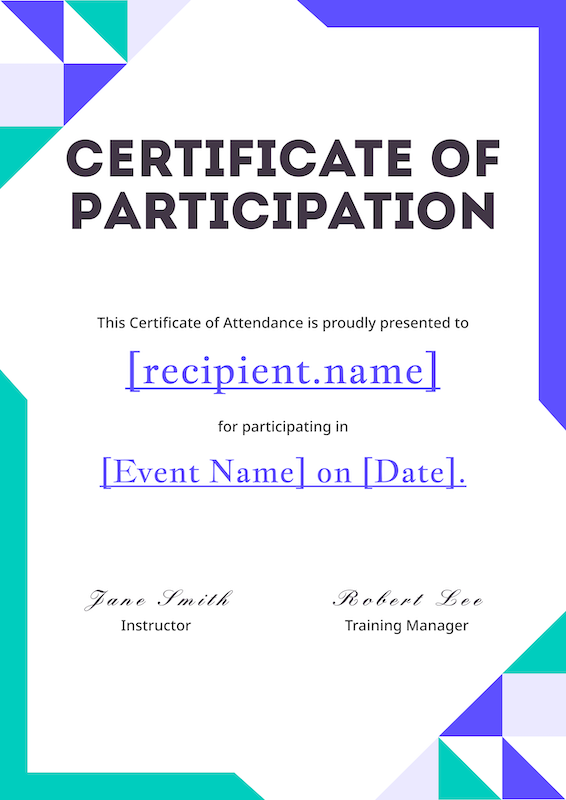
Vibrant teal and purple geometric corner accents give this portrait template an energy that most participation certificates lack — it reads as celebratory without crossing into academic-credential territory. The dual signature fields make it one of the few templates in this set suited to events with two co-hosts or a programme director and a sponsor. Tech conferences, innovation workshops, and bootcamps that want a certificate attendees will actually share on LinkedIn rather than file and forget would be well-served here. Swap the teal for your brand's primary colour in Figma and it becomes a branded event asset rather than a generic template.
Browse more templates in the Certificate of Participation gallery.
2. Light Blue Chain Border Portrait Participation Certificate
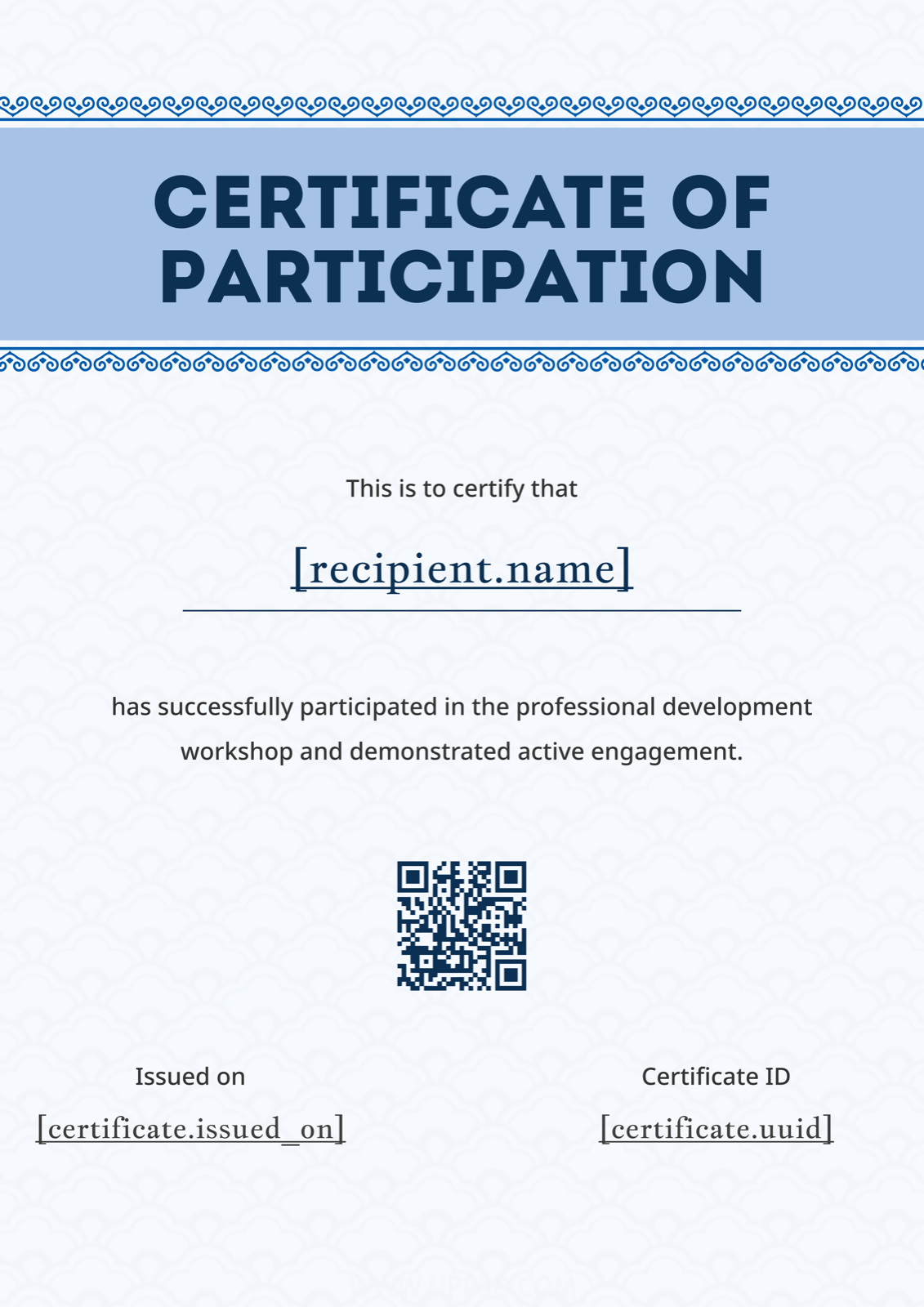
The soft blue background and chain-link border accents at the top give this portrait template an institutional solidity — it looks like something worth keeping, without the stiffness of a double-ruled border or a seal. The QR code field is well-placed and doesn't compete with the main text block, which matters when recipients are submitting these to HR systems or professional bodies for CPD logging. Training providers and L&D teams running recurring programme cohorts will find this template scales well: the layout accommodates longer event names and multi-line date ranges without breaking. Replace the blue tones with your organisation's colours to reinforce brand consistency across a series.
See the full template gallery for more options.
3. White Blue Geometric Landscape Participation Certificate
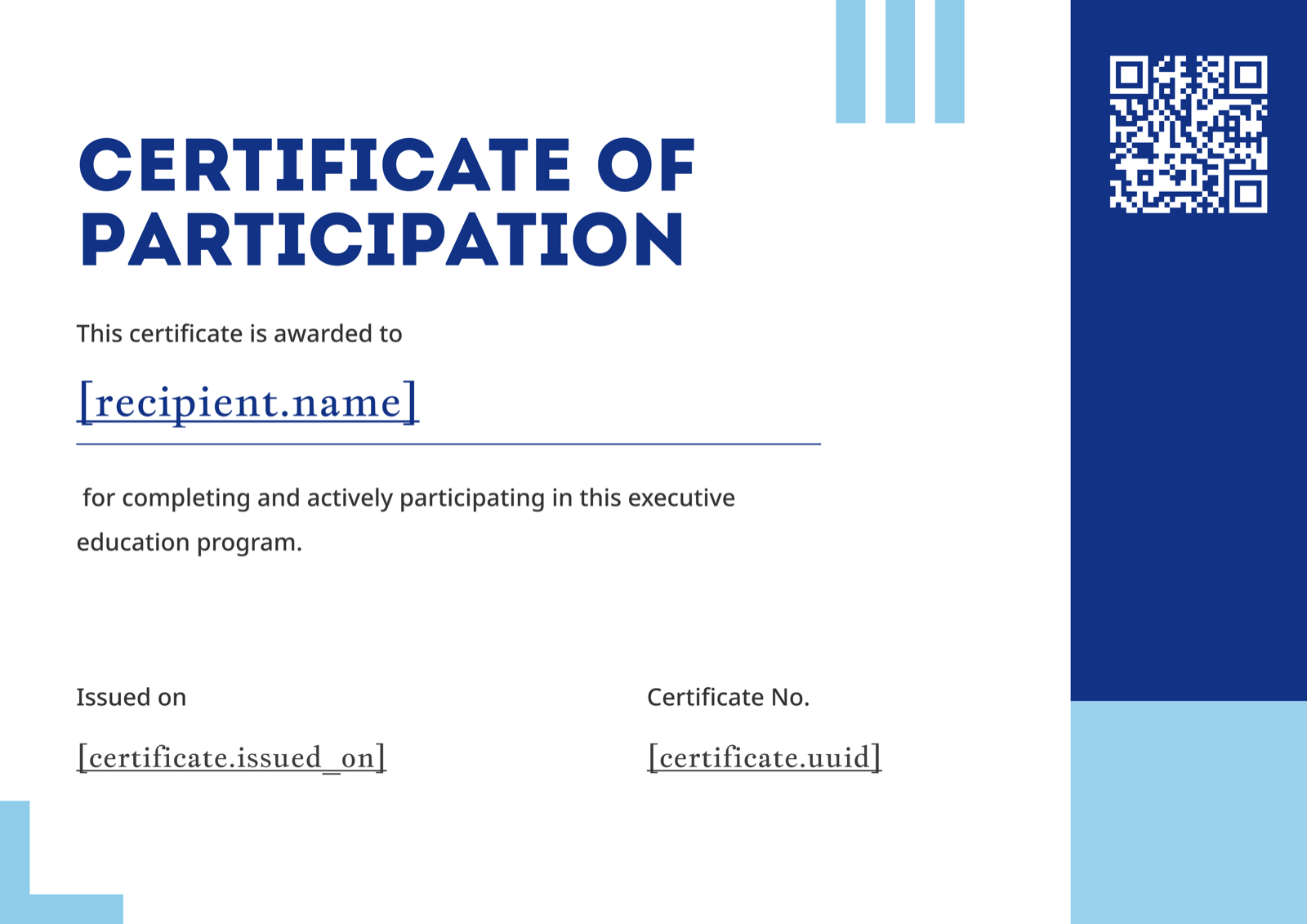
Bold blue geometric accent bars on a white landscape background make this one of the sharpest-looking templates in the set — the high contrast is deliberate, and it pays off particularly well when printed. Executive education programmes, business conferences, and professional development events where attendees are likely to print and frame the certificate will find this layout holds up at A4 and letter sizes without losing clarity. The modern sans-serif typography keeps it firmly out of "academic scroll" territory, which suits corporate contexts where the certificate needs to look current. If your organisation uses a non-blue brand palette, the accent bars are the single element to swap.
4. Blue Bubble Gradient Landscape Participation Certificate
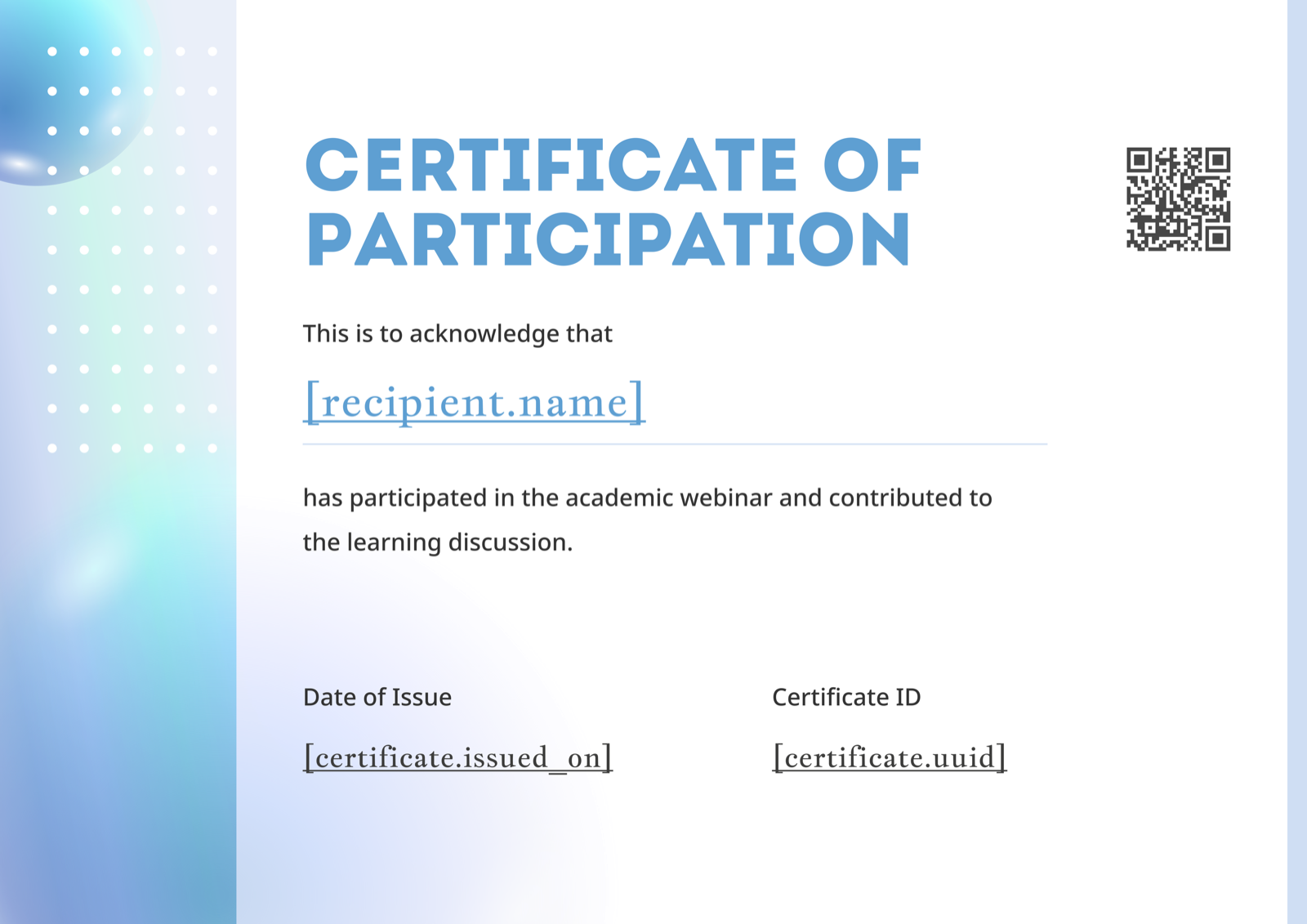
Where most of these templates lead with sharp geometry, this landscape design goes softer — a gradient blue background, bubble elements on the left, and a dot grid pattern that gives it texture without visual noise. The result is warmer and more approachable than the others, making it the natural choice for academic webinars, student-facing events, and educational conferences where the audience skews younger or where the organiser wants the certificate to feel like genuine encouragement rather than a formal record. The QR code sits cleanly in the lower section without disrupting the composition. Try shifting the gradient toward your institution's colours to make the warmth feel intentional rather than generic.
5. Teal Green Geometric Corner Portrait Participation Certificate
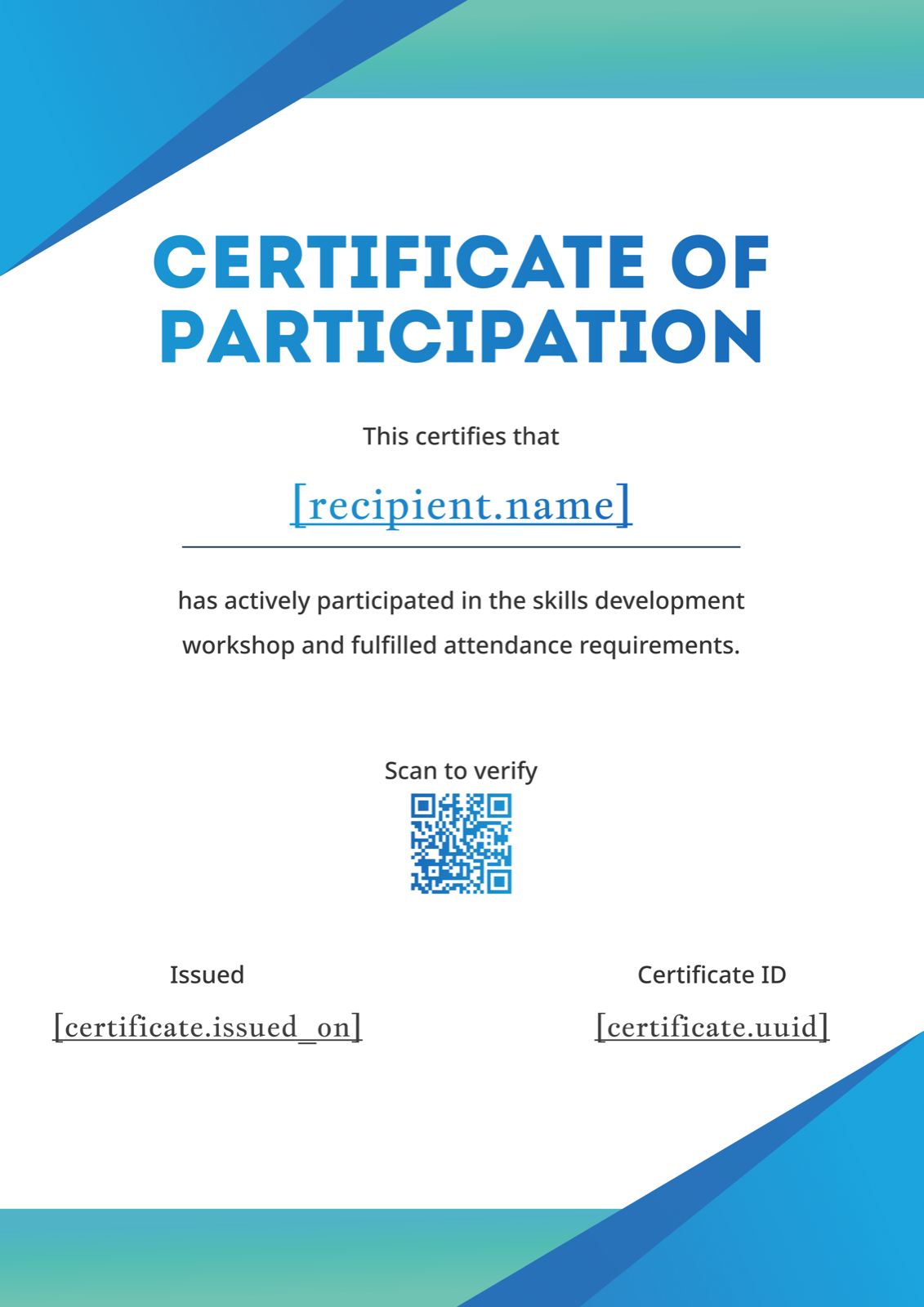
Vibrant teal-green geometric triangle accents in all four corners frame a clean white background and black typography — the contrast is striking and the layout is uncluttered enough that the event name, date, and session hours all have breathing room. Skills development workshops, hackathons, and training programmes with a practical or technical focus tend to suit this template well; it signals rigour without formality. The portrait orientation means it renders cleanly on mobile and in email, which matters for events where most attendees will receive the certificate digitally. Replacing the teal with a more muted accent colour shifts the energy from bold to refined if the context calls for it.
Making It Your Own
All five templates are available in Figma, Word, and PDF formats — the Figma version gives you the most control over colours, typography, and layout. Swap in your organisation's logo, adjust the accent colour to match your brand, and update the signature block to reflect whoever is signing off. The how to create a certificate step-by-step guide covers the full process from template to final file. Design is only half the work though — the wording on a participation certificate is easy to get subtly wrong, particularly the distinction between "participated in" and "completed." The Certificate of Participation wording examples covers formal and casual options for different event types.
The full Certificate of Participation template gallery has more options beyond this list — including landscape and portrait variants across a wider range of styles. If you're issuing more than a handful of certificates, CertFusion automates the whole process: pull attendee data from your registration platform, generate personalised certificates from your chosen template, and deliver them automatically when the event ends — no manual editing required.
Table of Contents
Related Articles
Discover more insights and stories that might interest you